Table of Contents
Percipio Best Practices
Use these best practices to help with a smooth learning experience and credit for your course participation.

Essential Guidelines
Understand the key steps to take before starting a training course in Percipio to ensure your progress and completion are tracked correctly. This includes best practices for handling interruptions, managing browser settings, accessing resource links, and properly exiting the course to record your completion.
Review essential guidelines in detail in the Percipio User Instructions.
Browser Recommendations
Review recommended web browsers and settings to ensure a smooth learning experience in Percipio. You’ll also find guidance on supported browsers, required system settings, and best practices for keeping your browser up to date and properly configured before starting a course.
Review detailed recommendations in the Percipio User Instructions.
Percipio Navigation & How To’s
Use this section to find help with everyday tasks in Percipio, from searching for content to managing registrations and notifications. These how‑to guides are designed to help you move confidently through the platform with less trial and error.
Find a Course or Other Content
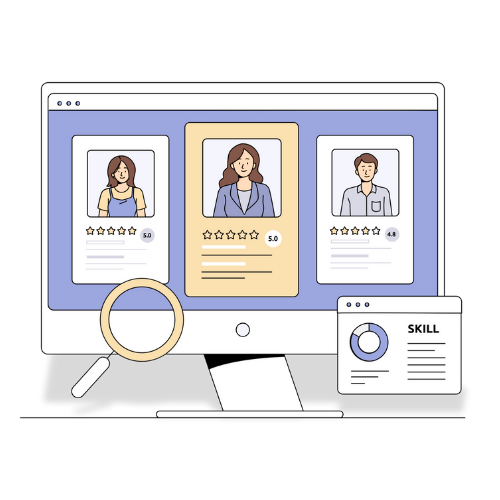
Understand how to quickly locate courses, videos, books, labs, and programs based on keywords, role, skill interests, or browse the content library.
Review how to find content in the Percipio knowledge base, or learn about Percipio’s tools to help you grow.
Instructor-led Training (ILT): register for or cancel a class
Discover how to locate instructor-led training (ILT) sessions, understand session statuses, and learn what to do if a class is full. Review the detailed registration instructions in the Percipio User Instructions.
Has your schedule shifted or plans changed? Find out where to access your live course registrations and how to cancel your reserved seat for a scheduled class. You’ll also learn how a cancellation affects the class, such as releasing a seat for a waitlisted learner. Review the detailed cancellation instructions in the Percipio User Instructions.
Manage Percipio Notifications
Learn how to adjust your Percipio notification settings to control the types of alerts you receive and how they’re delivered.
Review the detailed configure notification instructions in the Percipio User Instructions.
Share Content with Other Learners
Share Percipio content with other WSU learners by selecting an item and choosing how you want to send it. Understand the available sharing options from desktop and mobile devices.
Review the detailed content sharing instructions in the Percipio knowledge base.
Schedule Learning Time
This feature allows learners to block dedicated time on their calendar for Percipio courses or live learning activities. It helps learners plan ahead by sending calendar invitations with links to the content, making it easier to fit learning into your work schedule.
Review how to schedule learning time in the Percipio knowledge base.
How to Create a Playlist
Create a playlist in Percipio to organize courses, videos, and other content you want to take now or later. Understand how playlists help learners save, group, and manage learning content for easy access, planning, and sharing.
Review how to create a playlist in the Percipio knowledge base.
Set or Change Your Skill Interests
Learn how to manage your skill interests in Percipio to tailor content and recommendations to your goals.
Learn more about Skill Interests in the Percipio knowledge base.
Set or Change Your Role Advisor Topics
Explore how to set or update your Role Advisor topics in Percipio to receive recommendations relevant to your job role or career goals.
Learn more about the Role Advisor feature in the Percipio knowledge base.
How to Locate Your Learning Activity & Completion Certificates
View your learning activity, including in‑progress and completed courses. You’ll also find out how to access and download completion certificates for eligible courses.
Review how to locate your learning activity in the Percipio knowledge base.
How to Find Your Assignments
Learn how to locate assigned courses in Percipio, review assignment details, and start your training from the assignment.
Review the detailed instructions about assignments in the Percipio User Instructions.
Restart a Course
Discover where to find the restart option to begin an eligible course from the start and understand what happens to your saved progress when it’s restarted.
Learn more about how to restart a course in the Percipio knowledge base.
Add Learning & Certifications From Sources Outside Percipio
Add learning activities and certifications completed outside of Percipio to your learning record, including a PDF of your certification or completion.
Review the detailed instructions about external learning in the Percipio knowledge base.
Create a Study Group
Create a study group in Percipio to learn and collaborate with others by setting up a group and inviting members to participate.
Learn how to create a study group in the Percipio knowledge base.
Percipio Help

Self-guided Help and Resources
Learners can get self-guided help from two sources:
- Check out our FAQ’s & Troubleshooting Common Issues for information on using Percipio for WSU Learners and Learning Administrators.
- The Percipio Learner Knowledge Base contains general Percipio information and guides for a wide variety of topics.
Who to Contact if You Need More Help
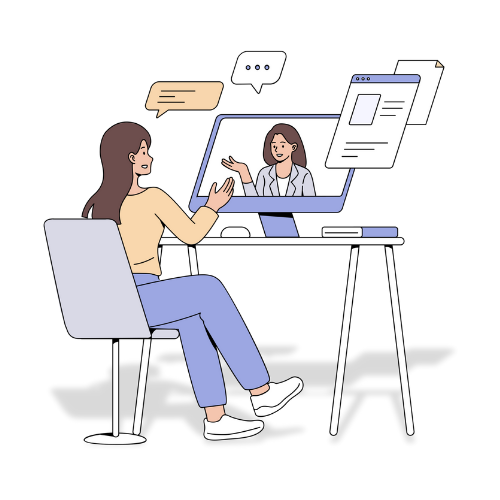
Learning Administrators support employees across the university by helping connect learners to required and optional training in Percipio. Assigned by area, college, or campus, they provide guidance on training access, completion, and compliance to support employee learning and development.
Contact your assigned Learning Administrator when you have questions about required training, assignments, or access to learning content in Percipio. They can also help if you encounter issues with enrollment, completion records, or need guidance on training requirements specific to your area, college, or campus.
If you know who your area’s Learning Administrator is, they’re your best first point of contact for questions about training, assignments, and learning support within your area. Learning Administrators work closely with Learning & Organizational Development (LOD) and can often help quickly resolve questions or guide you to the right next step.
You can contact LOD directly if you’re unsure who your Learning Administrator is, your question spans multiple areas or campuses, or you need additional support beyond what your Learning Administrator can provide.

Quick Links
Return to the Employee Training section page, or open the panel below for more pages.
- Instructor-Led Training (ILT) Instructors
- List of Core Compliance and Important Job-related Trainings
- Cybersecurity Awareness & Prevention
- Hazing Prevention at WSU
- UPPM 10.65: WSU’s Universtiy Ethics Policy
- Employee Rights and Responsibilities Under UPPM 10.60
- Digital Accessibility Assessment
- Understanding Your Training at WSU
- Who Has Access to Percipio and When
- Employee Training at WSU: Policies and Guidance
- Learning Administrator Toolkit
- Percipio Learning Administrator Support
- FAQ’s & Troubleshooting Common Issues
- Canceling Registration for a Live (Instructor-Led) Training
- Viewing and Working with Assignments
- Register for a Live (Instructor-Led) Training
- Managing Notifications from Percipio
- Browser Settings & Essential Guidelines
- Tools to Help You Grow
- Navigation & Best Practices
- Create a Learning Plan
- Percipio Basics
- Training Policies
- New Employee Training
- Percipio Learning Administrators
- Percipio Frequently Asked Questions
- Appropriate Use of Training Time
- Make Time for Learning
- Employee Rights and Responsibilities Under Executive Policy 15 (EP-15)
- New Employees: Start Your Onboarding Here